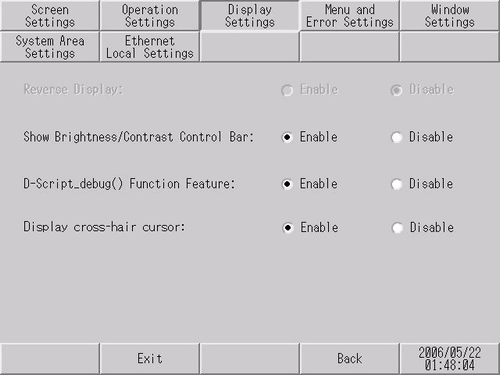
Reverse Display
Specify whether to enable or disable the highlight (reverse) display.

This item can be specified only when a monochrome model is selected.
Show Brightness / Contrast Control Bar
Specify whether to display on touch the [Show Brightness/Contrast Control Bar] to adjust brightness and contrast.
D-Script_debug ( ) Function Feature
Specify whether to execute the _debug ( ) function described in D-Script.
 22.9.1 D-Script/Common [Global D-Script] Settings Guide
Specify whether to display the cross cursor. When the cross cursor display is enabled, the crosshairs cursor appears at the touched position on the screen. You can check for a touch calibration error based on the difference between the crosshairs cursor position and the drawing position.
Settings are available on the following models.
GP-3200 Series
ST3000 Series